
Why Smart Home Myths Persist
Smart home myths have stuck around for a reason: early devices were often expensive, inconsistent, and harder to connect than they are today. Add fragmented standards, confusing marketing, and years of coverage focused on futuristic “connected homes,” and it is easy to see why many people still assume smart home technology is only for tech enthusiasts or brand-new houses.
The reality is much more practical. Modern smart home facts are less about novelty and more about convenience, comfort, and control. For many households, the question is not whether a smart home is possible, but where to begin, and whether the benefits justify the cost. In this guide, we will separate common smart home misconceptions from the way devices actually work today, with a focus on real-world use cases for beginners.
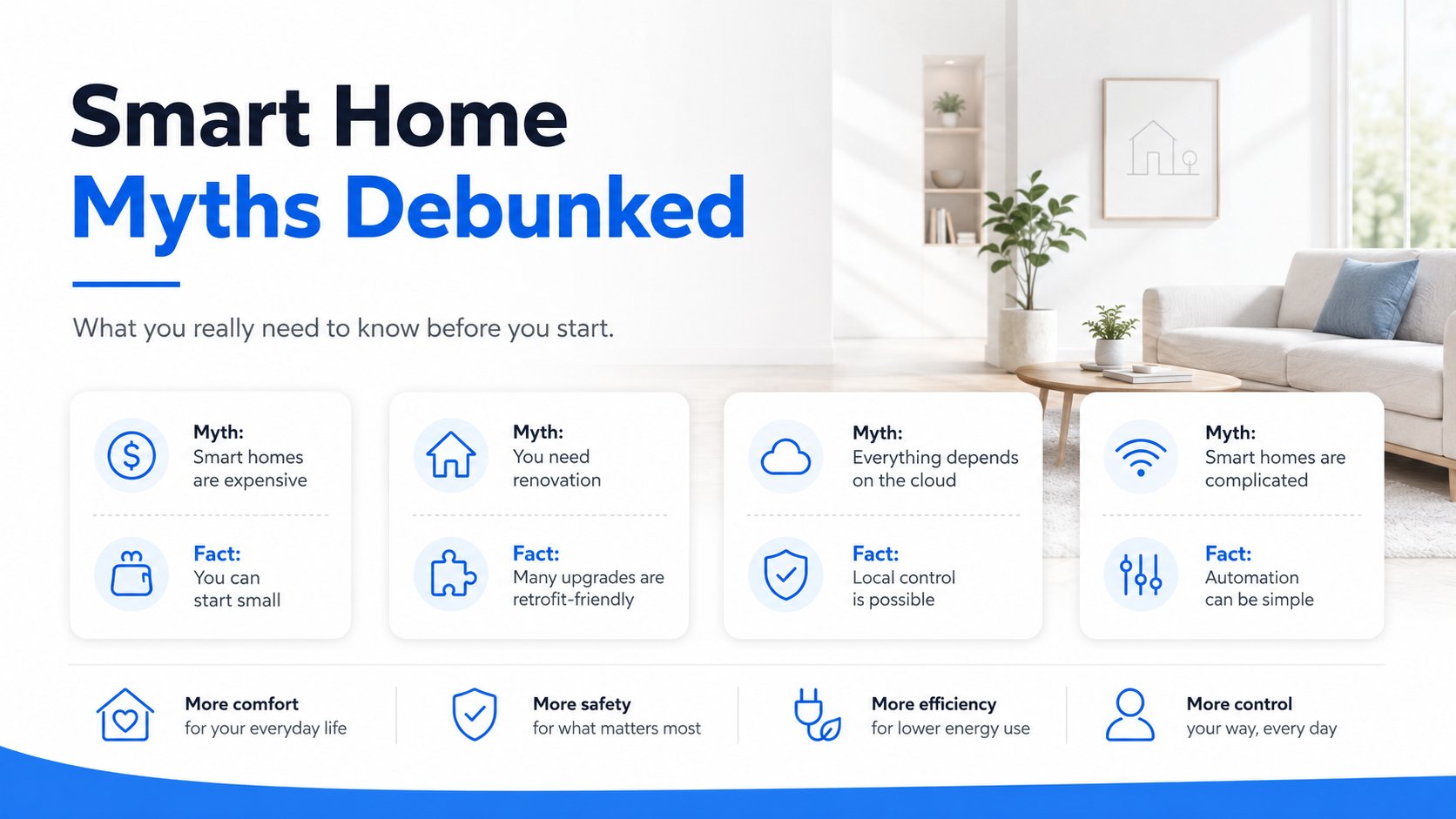
Myth #1: Smart Homes Are Only for New Houses
Myth: You need a brand-new build, fresh wiring, or a full renovation to make a home smart.
Fact: Many devices are designed to fit into existing homes and apartments with minimal disruption. Consumer technology coverage notes that smart home devices can retrofit existing homes without requiring a brand-new build, and many products are specifically made for gradual adoption rather than whole-home overhauls (CNET Smart Home).
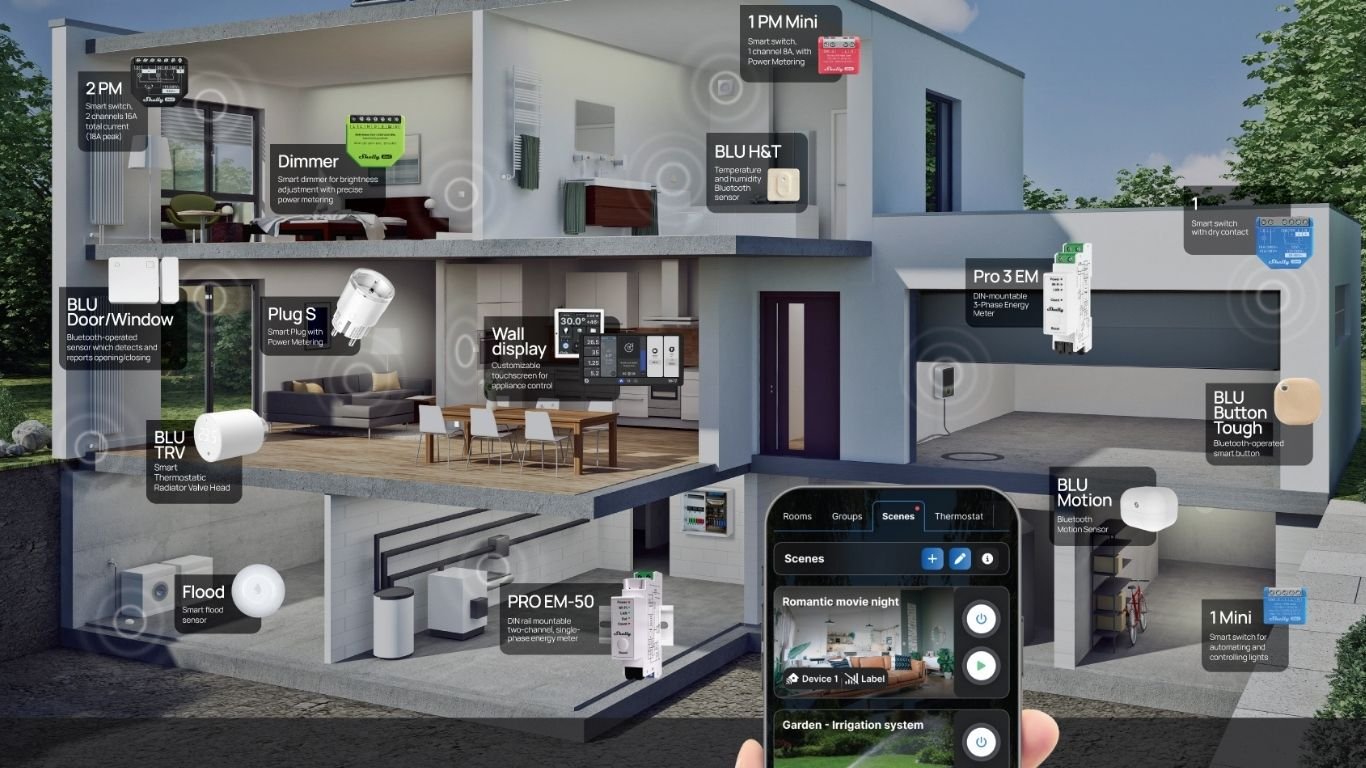
That means renters, apartment dwellers, and homeowners with older properties can often start with plug-in products, battery-powered sensors, or retrofit relays. For example, a smart plug such as the Shelly Plug S Gen3 can add remote control and energy monitoring to a floor lamp or appliance without changing the wiring. A compact retrofit relay like the Shelly 1 Gen4 can be used in more advanced setups where hidden control is useful. These kinds of devices show how smart home without renovation is not just possible - it is common.
Myth #2: Smart Homes Are Too Expensive
Myth: Smart homes require a large upfront budget and a stack of devices from day one.
Fact: A practical smart home for beginners can start with one device, one room, or one problem you want to solve. Consumer Reports explains that smart home products can be added gradually, based on budget and need (Consumer Reports Smart Home Buying Guide). That makes the category much more approachable than many people assume.
You might begin with a smart plug for a heater or coffee machine, a sensor for a window or door, or a relay for one lighting circuit. The goal is not to buy everything at once. It is to build a setup that pays for itself in everyday convenience, better awareness, or improved energy control over time. In that sense, the real question is often not “Can I afford a smart home?” but “Which first device solves a useful problem for me?”
- Start with one plug, sensor, or relay.
- Choose a room you use often, such as a bedroom, kitchen, or hallway.
- Add more devices only when you have a clear need.
- Look for devices that support the ecosystem or app you already prefer.
Myth #3: Installation Is Too Complicated
Myth: Smart home installation always means complicated setup, special tools, and technical know-how.
Fact: Many modern devices are designed to be straightforward. Some are plug-and-play, while others are added during routine electrical work rather than as a major project. That is why smart home installation feels much more manageable today than it did in the early days of the category.
For example, a smart plug like the Shelly Plug S Gen3 can be introduced with almost no learning curve. A device such as the Shelly 1PM Gen4 adds control and power monitoring in retrofit scenarios where a more integrated approach is needed. The point is not that every device is simple in the same way. The point is that modern smart homes offer different levels of complexity, so beginners can start with the easiest option available to them.
Myth #4: Smart Homes Only Let You Turn Lights On and Off
Myth: Smart home automation is just remote light switching.
Fact: Lighting is only the beginning. Modern automation can include schedules, presence-based routines, comfort controls, energy monitoring, and alerts. Smart homes can help you track when doors or windows open, monitor temperature and humidity, or receive notifications when motion is detected.
This broader definition is what makes smart home technology genuinely useful. A Shelly H&T Gen3 can monitor indoor comfort conditions, while a Shelly BLU Door/Window can report open-close status for a window, door, or cabinet. A motion sensor like Shelly BLU Motion can support presence-based automations such as hallway lighting, occupancy alerts, or simple security notifications. In other words, smart homes are not just about switching things on and off—they are about making your home more aware.
Smart home automation is most useful when it quietly handles repeat tasks, reduces guesswork, and responds to everyday patterns.
Myth #5: Smart Homes Waste Electricity
Myth: Adding connected devices automatically increases electricity use.
Fact: Like any electronic device, smart home products use some standby power. But that is only part of the equation. ENERGY STAR notes that smart thermostats can help save energy by adjusting heating and cooling based on schedules and preferences (ENERGY STAR Smart Thermostats). Similar logic applies to other connected devices that reduce unnecessary run time through automation, scheduling, or monitoring.
For example, a smart plug can shut off a device that is left on accidentally, and power monitoring can help identify energy-hungry appliances. That does not mean every smart device is an energy saver by default. It means smart home energy saving depends on how the system is configured and used. The most balanced view is simple: smart devices consume a little power, but they can also help you avoid wasting a lot more.
Myth #6: Everything Depends on the Cloud
Myth: If the internet goes down, smart homes stop working completely.
Fact: Some systems and integrations can operate locally, which means certain automations and controls do not need to pass through a cloud service every time. Home Assistant documents support for local control and local automations across many devices and integrations (Home Assistant Documentation).
This matters because flexibility is one of the most underappreciated smart home facts. A single app or cloud account is not the only way to manage connected devices. Some households prefer cloud-based simplicity, while others want more local processing for privacy, speed, or reliability reasons. The right setup depends on your goals, your devices, and how much complexity you are comfortable with.
- Some automations can continue even if the internet connection is unstable.
- Local control can improve responsiveness for certain routines.
- Platform choice affects how much cloud dependence you have.
- Not every smart home uses the same architecture.
Myth #7: Smart Homes Aren't Secure
Myth: Connected devices are too risky to use at home.
Fact: Security is a real consideration, but there are established best practices that reduce risk. NIST’s guidance for IoT security highlights the importance of device identity, secure updates, authentication, and other safeguards for connected devices (NIST Cybersecurity for IoT Program).
For everyday users, the practical advice is straightforward: use strong passwords, enable multi-factor authentication where available, keep firmware updated, and secure your home network. No system can promise perfect safety, and no responsible article should say otherwise. But it is also fair to say that a thoughtful setup can be managed responsibly. Smart home security is less about fear and more about good digital habits.
Good smart home security is built on updates, authentication, and sensible network hygiene—not on wishful thinking.
Myth #8: Smart Homes Are Difficult to Expand
Myth: Once you start, everything has to be built at once or it becomes messy.
Fact: A sensible smart home usually grows in stages. That is one reason the category works so well for beginners. You can start with a single room, then add more devices as your needs become clearer. Consumer Reports notes that gradual expansion is a practical way to build a smart home over time (Consumer Reports Smart Home Buying Guide).
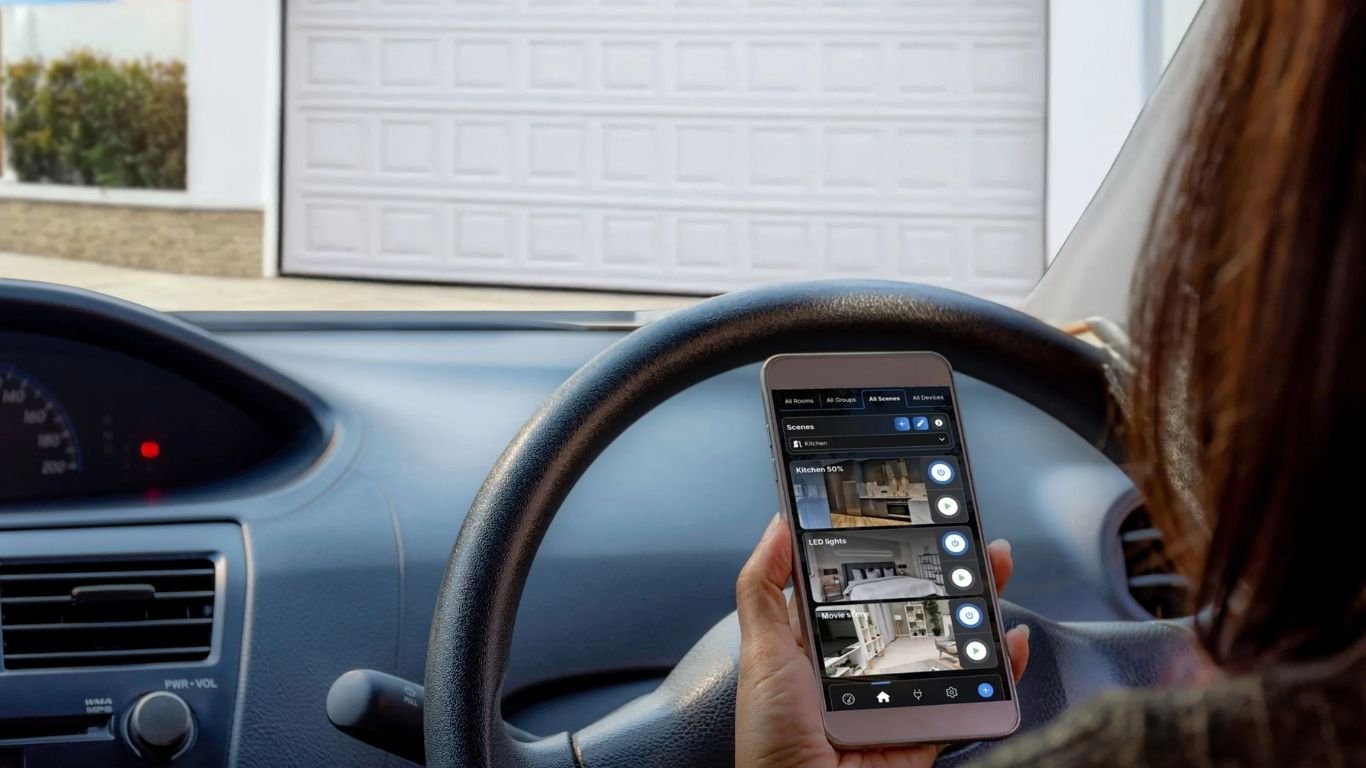
Many users also rely on a central app or dashboard to keep everything manageable. For instance, Shelly Smart Control is designed for device management, scenes, automation, notifications, and multiple homes, which illustrates how a setup can stay organized as it grows. That kind of structure matters if you want a smart home that can evolve from “one helpful device” into a broader system over time.
Who Can Benefit from a Smart Home?
The short answer is: more people than many myths suggest. Homeowners may want comfort, convenience, and energy awareness. Renters may want portable devices that do not require permanent changes. Families may want notifications, routines, and visibility around doors, motion, or environmental changes. Remote workers may want comfort automation and better control of a home office. Energy-conscious households may want scheduling and monitoring tools that help reduce waste.
That broad appeal is why the phrase are smart homes worth it does not have one universal answer. If you are looking for a complete home transformation, the benefits may grow over time. If you only need one or two useful automations, even a small setup can be worthwhile. The best smart home is the one that solves a real problem without creating new friction.
FAQ: Common Smart Home Beginner Questions
How expensive is it to start a smart home?
It can be very affordable if you begin with one device. A smart plug, a battery-powered sensor, or a single retrofit relay may be enough for an initial setup. Many people expand only after they see a clear benefit.
Do I need to renovate my home first?
No. Many smart home devices are made for existing homes and apartments. Plug-in products, wireless sensors, and retrofit relays can often be added without major construction.
Can smart homes work without the internet?
Some can, at least for certain features. Local automations and local control are supported in some ecosystems, while others rely more heavily on cloud services.
Are smart home devices secure?
They can be used securely when you follow basic best practices: strong passwords, updates, authentication, and a well-managed home network.
What is the easiest first device?
For many beginners, a smart plug is the simplest starting point because it is easy to understand and useful right away. A sensor can also be a good choice if your goal is alerts rather than control.
The Real Truth About Smart Homes
The biggest smart home myths usually come from older assumptions: that smart homes are only for new construction, too expensive to start, too hard to install, or limited to lights. Modern devices tell a more practical story. Today’s smart homes can be affordable, flexible, secure, and built gradually around real household needs.
If you are just getting started, the simplest path is to choose one useful problem - like reducing wasted energy, adding comfort automation, or getting better door and motion alerts - and solve that first. From there, you can expand at your own pace with devices that fit your home and your budget. In other words, the real answer to smart home myths is not hype; it is flexibility. For many households, that makes the idea of a smart home far more approachable than it first appears.

Comments 0