
Did you leave the garage door open?
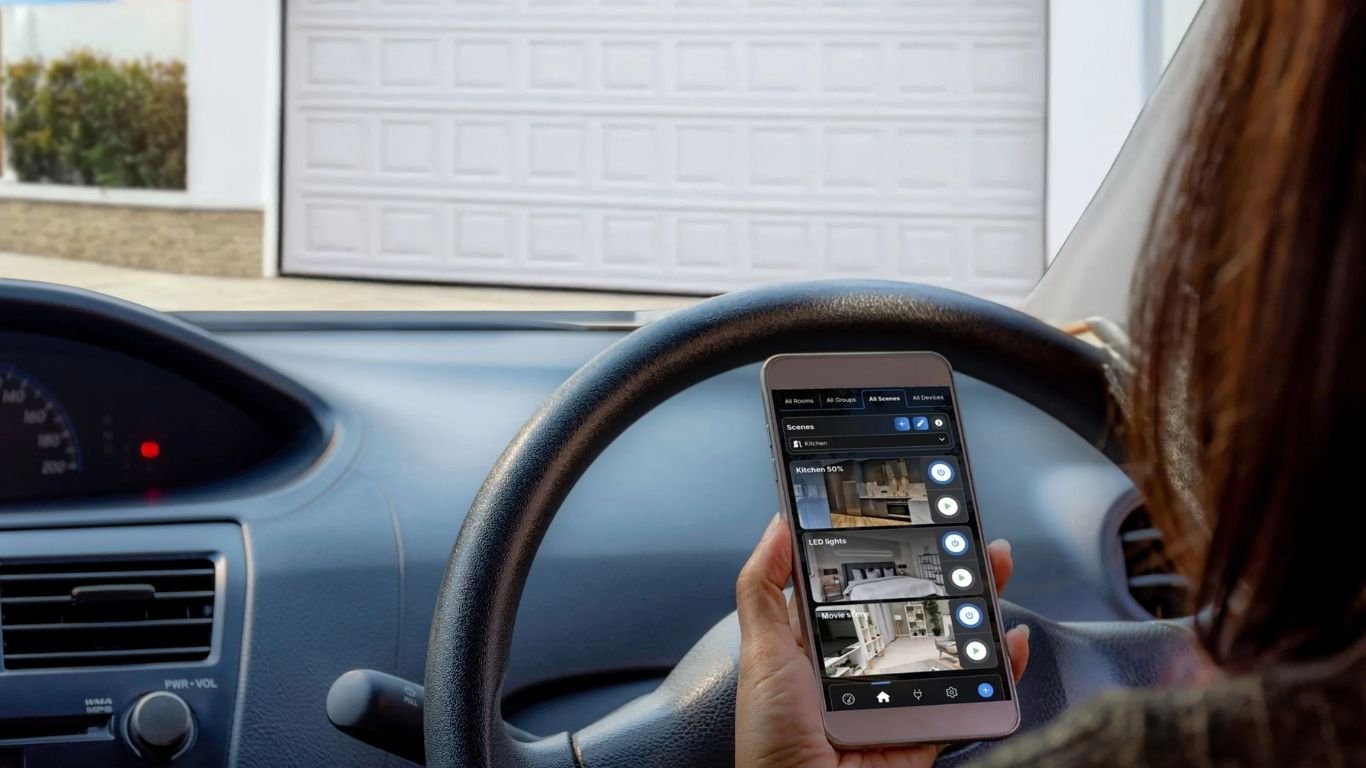
You are already several miles from home when the question comes to mind: Did I actually close the garage door? With a connected garage door, you can check its status from your phone instead of relying on memory. If the installation is properly configured, you may also receive an alert when the door remains open and send a command remotely.
The important point is that remote control involves two different functions. One device detects whether the door is physically open or closed. Another compatible device sends a command to the garage-door controller. In simple terms: the sensor tells you, the relay acts, and the application lets you see and automate the system.
Why install a connected garage door system?
The main benefit is not simply being able to open the garage with a phone. It is having a reliable chain from information to action:
- Check: see whether the monitored door is open or closed.
- Receive alerts: be notified if the door opens unexpectedly or stays open beyond a defined period, where the configured system supports this.
- Act: send a command remotely through a compatible control input.
- Automate: create carefully chosen scenes, such as a reminder at night or an alert after departure.
This is useful for everyday convenience, deliveries and peace of mind. It should not, however, be confused with a certified alarm system or a guarantee that the garage is secure. The result depends on the sensor position, the motor, the control interface, the Internet connection and the safety features of the door.
How can you detect whether the garage door is open or closed?
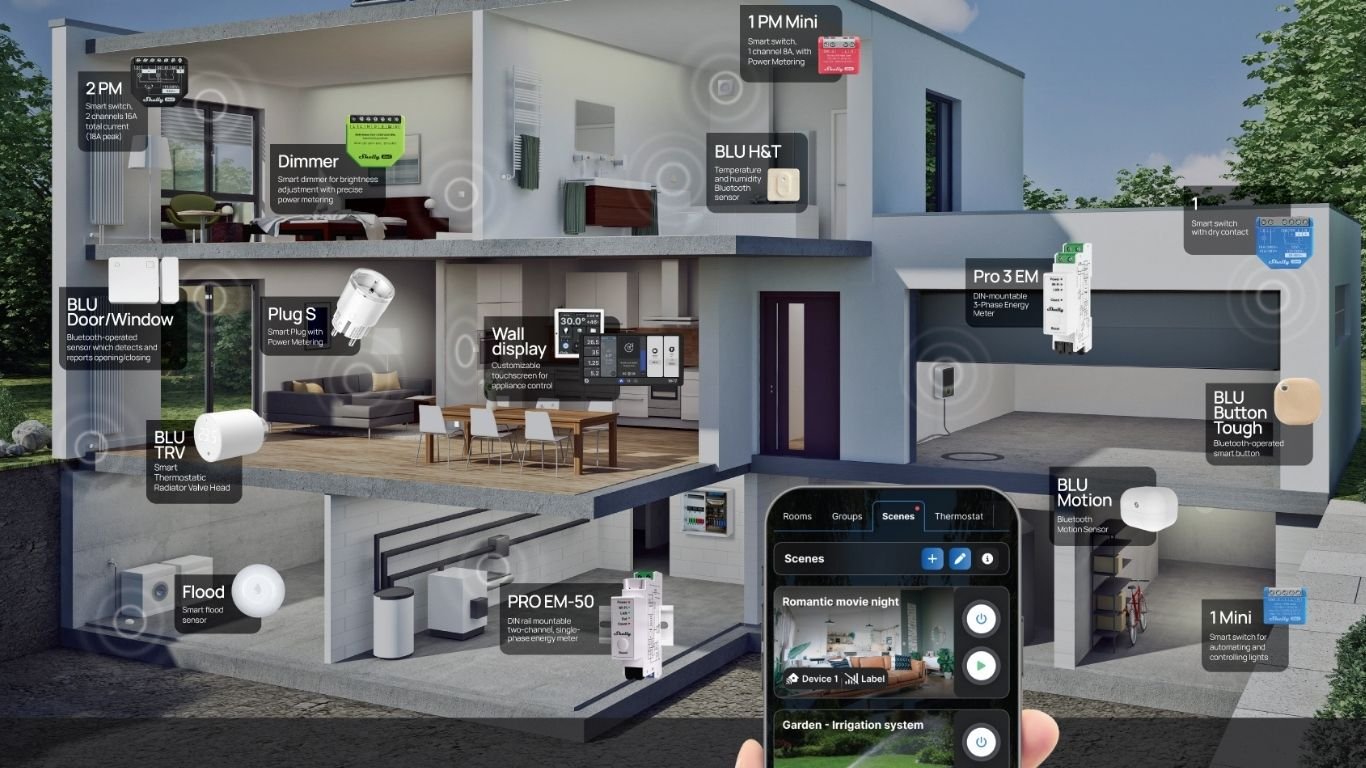
A garage door sensor monitors the physical state of the door. A device such as Shelly BLU Door/Window is designed to detect whether a monitored door or window is open or closed. Its status can then be used as a trigger for scenes or automations.
The sensor is fitted so that its two parts change position when the garage door moves. The application can then display the configured state. This is different from knowing that a command was sent: a motor may receive an instruction without the door completing its movement. If you need to verify the actual open or closed position, a separate position sensor is therefore essential.
Application = view the state and receive alerts.
Relay = send a command, if the motor input is compatible.
How can you open or control a garage with a phone?
Remote control generally follows this path: phone and application → connected relay → compatible control input on the garage-door opener. The relay sends the type of signal the controller expects, rather than automatically powering the motor itself.
A relay with a potential-free, or dry, contact can be suitable for certain control inputs. For example, the Shelly 1 Gen4 provides a potential-free contact intended for compatible applications. That does not make it universally compatible with every garage-door motor. The opener model, terminal layout, voltage requirements and required pulse must be checked before installation.
Some manufacturers offer dedicated hubs for selected openers. The documentation for the myQ Smart Garage Hub, for instance, makes compatibility with the specific opener an important part of the installation. The same principle applies to any third-party relay or smart accessory.
Why do you need both a sensor and a relay?
These components answer different questions:
- Sensor: Is the door physically open or closed right now?
- Relay: Can the controller receive a compatible open, close or trigger command?
- Application: How can the user view the status, receive notifications and manage permitted automations?
A relay alone does not know the real position of the door. It can send a pulse, but it cannot confirm that the door moved fully or that an obstruction stopped it. Conversely, a sensor can report an open door but cannot operate the motor. A complete connected garage door setup brings the two functions together.
Receive an alert when the garage stays open
Once the sensor reports the door state, you can configure notification scenarios according to the capabilities of the devices and application. A typical example is an alert if the door remains open for a defined period. Another is a notification when the door opens outside an expected time window.
Shelly Smart Control can be used to monitor and control connected devices and configure scenes or automations. The exact notifications depend on the selected devices, settings and connectivity. Before relying on an alert, test it at different times and check what happens after a power or Internet interruption.
Can an existing garage door be modernized?
Often, a complete motor replacement is not the first option. An existing motor may be modernized by adding a sensor and a compatible relay or hub. This can be attractive when the mechanical door and opener are still in good condition.
However, compatibility must be confirmed for the exact model. Check whether the opener accepts an external push-button or dry-contact command, whether it requires a particular pulse, and whether the smart accessory supports that control method. Do not assume that two terminals that look similar have the same electrical function.
Useful garage-door automation scenarios
- Forgotten-door reminder: receive a notification if the door is still open 15 or 30 minutes after leaving.
- Unexpected opening: receive an alert when the sensor changes state during a period when nobody should be using the garage.
- Arrival routine: view the status before sending a command to open the door.
- Evening check: include the garage status in a bedtime routine, without automatically closing it unless the installation has been specifically designed and tested for that action.
Is automatic closing safe?
Automatic closing deserves more caution than a simple reminder. A garage door can injure people, damage vehicles or trap objects if it closes when the opening is not clear. The U.S. Consumer Product Safety Commission recommends maintaining and testing reversal and obstruction-protection systems.
Before considering automatic closing, verify that the motor's safety devices are present, functional and compatible with the intended control logic. Test the reversal mechanism and obstruction detection according to the manufacturer's instructions. If those protections are missing, unreliable or modified by the installation, do not use an automatic closing scenario. When in doubt, ask a qualified garage-door or electrical professional to inspect the system.
What happens if the Internet or power fails?
A connected garage system depends on its architecture. A power cut may disable the sensor, relay, motor or network equipment. An Internet outage may prevent remote viewing, notifications or cloud-based commands, even though a local wall control or remote may still work. The exact behavior varies by motor, smart device and configuration, so it should be checked rather than assumed.
For this reason, keep a conventional way to operate the door and test the connected setup periodically. A phone application should be an additional control and monitoring layer, not the only way to access the garage in every circumstance.
Garage doors and gates: a similar logic, different compatibility
The same general approach can apply to a driveway gate: use one component to detect its state and another to send a command to a compatible controller. The wiring, safety requirements and control protocols are not necessarily the same as those of a garage door, however. Do not transfer a wiring method from one installation to another without checking the manufacturer's documentation.
How to choose the right components
- Start with the status: choose a suitable sensor and determine where it should be mounted to identify the open and closed positions.
- Check the opener: identify the exact motor model and read its documentation before selecting a relay or smart hub.
- Choose the control method: a compatible potential-free contact may be appropriate for some inputs, but not all.
- Configure the application: set up status display, alerts and scenes through the available platform features.
- Test the complete chain: check local control, remote commands, notifications, sensor accuracy and behavior after a connection failure.
Frequently asked questions
How can I know from my phone whether the garage door is open?
Install and configure a position sensor such as Shelly BLU Door/Window, then view its reported state in the connected application. A relay command alone cannot confirm the physical position.
Do I have to replace the garage-door motor?
Not necessarily. An existing motor may accept a compatible relay or smart hub, but compatibility must be verified for the exact model and input type.
Can I open the garage with my phone?
Yes, when the application, relay or hub and garage-door controller are compatible and correctly configured. Remote operation also depends on power and network connectivity.
Can I receive an alert if the door stays open too long?
Usually, this can be configured as a timed notification or scene when the sensor remains in the open state. Confirm that the selected application and devices support the required condition and notification method.
Is a dry-contact relay compatible with every motor?
No. A potential-free contact is useful only when the opener accepts the corresponding command and electrical conditions. Always check the motor documentation or consult a qualified professional.
Can I configure automatic closing?
Only if the door, motor, reversal mechanism, obstruction protection and control logic are designed and tested for it. Otherwise, use an alert and confirm the area before sending a manual command.
A connected garage is about knowing before acting
The most useful answer to “Did I close the garage?” is not a remote button alone. It is a system that can verify the real state, alert you when something needs attention and let you act when the installation permits it. A sensor such as Shelly BLU Door/Window provides the status, a compatible relay can send the command, and Shelly Smart Control can bring monitoring, notifications and automation together.
Before choosing equipment, identify the motor model, confirm the control input and preserve every safety device. If electrical or motorization changes are required, involve a qualified professional. The practical goal is simple: check the garage from your phone, receive a useful alert and act remotely only when you know the command is compatible and safe.

Comments 0