
Why smart home setups still feel fragmented
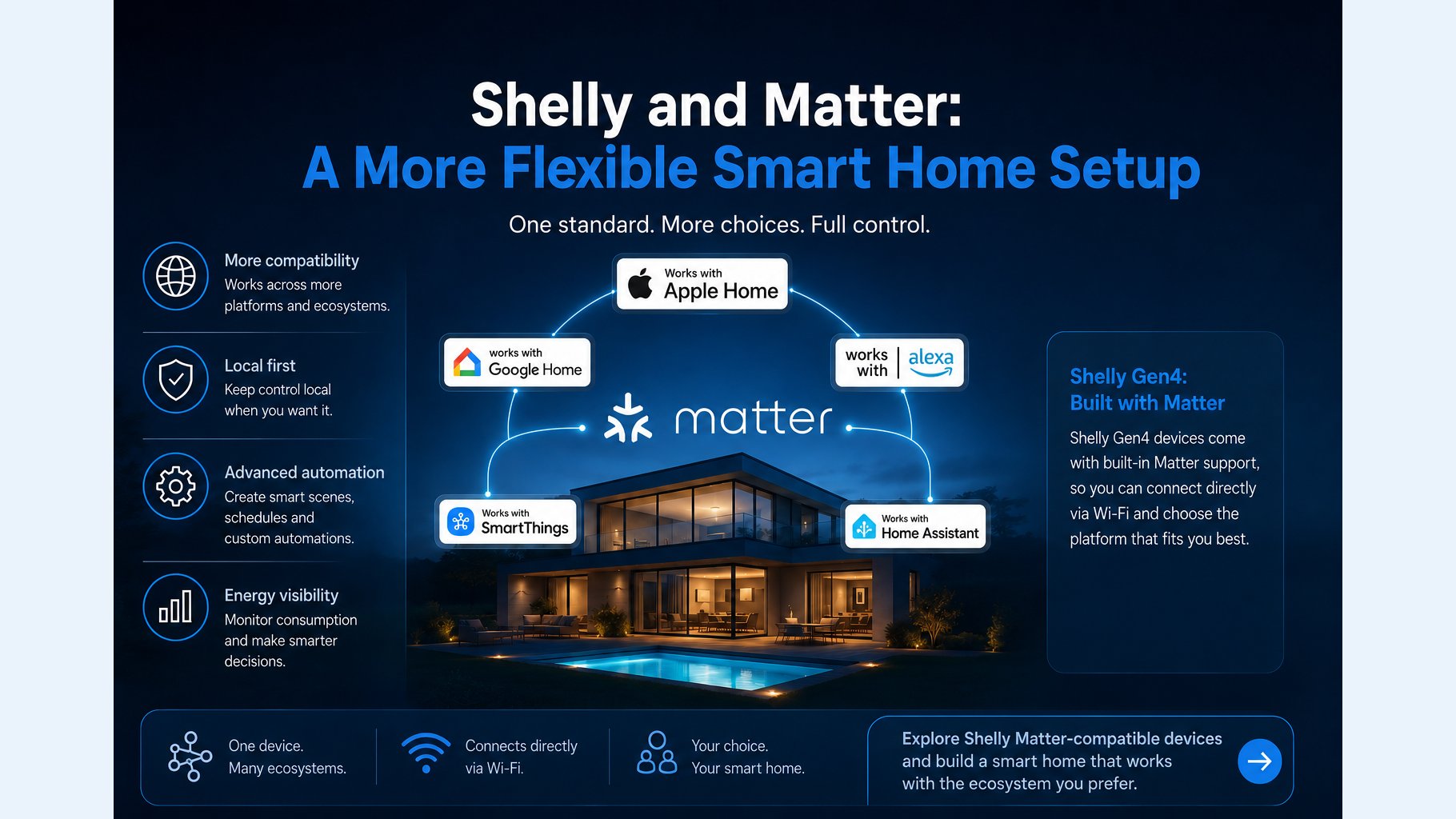
One of the biggest frustrations in smart home buying is simple: a device that works well in one ecosystem may not fit neatly into another. That can make it harder to choose between Apple Home, Google Home, Alexa, SmartThings, or Home Assistant. Matter was created to reduce that friction by improving how compatible devices and platforms connect across brands and ecosystems.
For Shelly users, that matters because it opens the door to broader platform choice without automatically replacing the features that make Shelly useful in the first place. In other words, Shelly Matter is less about hype and more about flexibility: easier cross-platform control for compatible devices, while still keeping the local-control and automation strengths many DIY users care about.
What is Matter, in plain English?
Matter is an open smart home standard backed by the Connectivity Standards Alliance. Its goal is to make devices work more reliably across different brands and platforms, so a product does not have to be locked to one ecosystem to be useful.
A practical way to think about Matter is as a compatibility layer. Instead of forcing every smart home accessory to speak a different language for every app or platform, Matter gives supported devices a more common way to be discovered, added, and controlled. That does not mean every feature becomes universal, but it does mean the basics are usually easier to share across ecosystems.
Does Shelly support Matter?
Yes, but with an important caveat: Shelly Matter support is model-specific. Shelly says compatible devices can be added to a Matter smart home for cross-platform control and can connect directly via Wi-Fi. That means you should check the exact product page before buying rather than assuming every Shelly device is Matter-enabled.
The most relevant family for Matter-oriented buyers is Shelly Gen4. Shelly positions Gen4 devices as multi-protocol products designed for broader smart home compatibility (Shelly Gen4). In practice, that makes Gen4 the place to start if you want a Shelly device that is designed with cross-platform setups in mind.
Two examples called out by Shelly are Shelly 1 Gen4, a smart relay for lights and appliances (Shelly 1 Gen4), and Shelly Dimmer Gen4, designed for smart lighting control (Shelly Dimmer Gen4). Those product families are especially relevant if you are planning a new install or a retrofit and want Matter to be part of the equation.
Why Matter matters for Shelly users
The main benefit of Shelly Matter support is not that it changes what the hardware can do, but that it can make the device easier to place in a mixed ecosystem. If you are building around Apple Home today but may switch some parts of your setup later, Matter reduces the chance that a device becomes useful in only one app or platform.
That is especially relevant for households that compare ecosystems. With compatible Matter devices, a Shelly switch, relay, or dimmer can be managed through a Matter controller instead of being tied solely to one vendor’s app. For many buyers, that lowers platform lock-in and makes it easier to choose the ecosystem that best fits the rest of the home.
- Apple Home users can add compatible Matter accessories to the Home app when the device and Apple requirements are met.
- Google Home users can benefit from a more consistent way to onboard supported accessories across Matter-enabled products and controllers.
- Alexa users can treat compatible Shelly Matter devices as part of a broader multi-ecosystem setup instead of a one-app solution.
- SmartThings users can reduce setup friction when adding supported devices to a mixed-brand smart home.
- Home Assistant users can use Matter in setups where Home Assistant acts as a controller or bridge, depending on the configuration.
Matter can make it easier to add devices to the platform you already use, but it does not guarantee identical feature sets across every ecosystem.
Which Shelly Matter devices should you look at?
If you are shopping specifically for Shelly Matter devices, start with the Gen4 lineup and then verify compatibility on the product page. Shelly’s Gen4 family is the clearest signal that the company is building for broader protocol support rather than a single-platform approach (Shelly Gen4).
For most homeowners and DIY installers, the most useful Gen4 examples are the relay and dimmer products. A relay like Shelly 1 Gen4 makes sense for switching lights or appliances, while Shelly Dimmer Gen4 is the more natural fit for lighting control. Those are the kinds of devices where cross-platform setup can be genuinely helpful, because they often sit at the center of everyday home automation.
Matter makes Shelly easier to add, but Shelly still brings more
Matter helps Shelly fit into more homes, but Shelly’s value is not limited to interoperability. A lot of buyers choose Shelly because they want more direct control over how a device behaves, especially in a retrofit or DIY setup. That includes local control, device-level settings, and flexible automation options that go beyond what many basic smart home accessories offer.
In practical terms, that means a Shelly device may still be valuable even if you are not building a Matter-first home. You might use the Shelly app or web interface for configuration and management, rely on local behavior for critical routines, and use Matter as the layer that makes the device easier to expose to Apple Home, Google Home, or another controller. That mixed approach can be a good fit for users who want both convenience and control.
Energy monitoring is another area where the distinction matters. Many smart home buyers want more than simple on/off control; they want insight into what a circuit or appliance is doing. If energy data is important to your setup, make sure the specific Shelly model you choose supports the monitoring features you need, because Matter itself is not a substitute for device-specific sensing capabilities.
How Matter affects setup, control, and platform choice
For setup, Matter usually means fewer hoops to jump through when adding a compatible device to a controller. For control, it can mean a cleaner experience across supported platforms, especially if your home uses more than one ecosystem. For platform choice, it gives you more room to change apps or controllers later without replacing every accessory at the same time.
That said, a Matter-enabled setup is still not magic. The exact experience depends on the controller, the accessory category, and the model you buy. Apple Home support, for example, still depends on Apple’s own requirements for adding Matter accessories to the Home app. Home Assistant can also play a flexible role in some setups as a Matter controller or bridge, but the details depend on how your system is configured.
How to choose the right Shelly setup for your home
If you are deciding whether Shelly Matter is right for you, start with the platform you use most today and the control style you want long term. If you want the simplest way to add compatible devices to a major ecosystem, Matter can be a strong reason to pick a supported Gen4 model. If you care most about local control, advanced automation, or device-level settings, Shelly’s broader feature set may matter just as much as Matter compatibility.
- Choose Matter-first if you want to minimize ecosystem friction and expect to use more than one platform over time.
- Choose a Shelly Gen4 device if you want a device family designed for broader protocol support and cross-platform use.
- Choose Shelly features first if local control, automation flexibility, or energy monitoring are more important than a single app experience.
- Choose a mixed setup if you want Matter for everyday convenience but still want access to Shelly configuration tools and advanced behavior.
A sensible buyer check is to ask three questions before purchasing: Does this exact Shelly model support Matter? Which platform will I actually use to control it? and Do I need features beyond standard Matter control? Those questions usually reveal whether a model like Shelly 1 Gen4 or Shelly Dimmer Gen4 is the right fit, or whether another device in your setup makes more sense.
Conclusion: a more flexible smart home, with fewer trade-offs
For smart home buyers, the appeal of Shelly Matter is straightforward: Matter lowers the barrier between ecosystems, while Shelly’s compatible Gen4 devices can bring that cross-platform flexibility into a more capable DIY-friendly setup. That combination can make it easier to build around Apple Home, Google Home, Alexa, SmartThings, or Home Assistant without committing every device to one ecosystem forever.
The key is to stay precise about what Matter does and does not do. It simplifies compatibility, but it does not eliminate device-specific limits. If you want a flexible smart home setup with local control, automation options, and broader platform reach, Shelly’s Matter-capable Gen4 products are worth a close look. If you mainly want one ecosystem’s easiest possible experience, a native-only approach may still be enough. The best choice depends on whether your priority is convenience, control, or a balance of both.



Comments 0