
From one problem to one smart win
For a lot of homeowners and renters, the smartest place to begin is not with a full home overhaul. It is with one annoying, everyday problem: a porch light that should be easy to control, a fan that should turn off automatically, or a garage door that would be better managed from a switch or app. That is where how one smart relay can become the start of a smarter home becomes a practical idea instead of a vague promise.
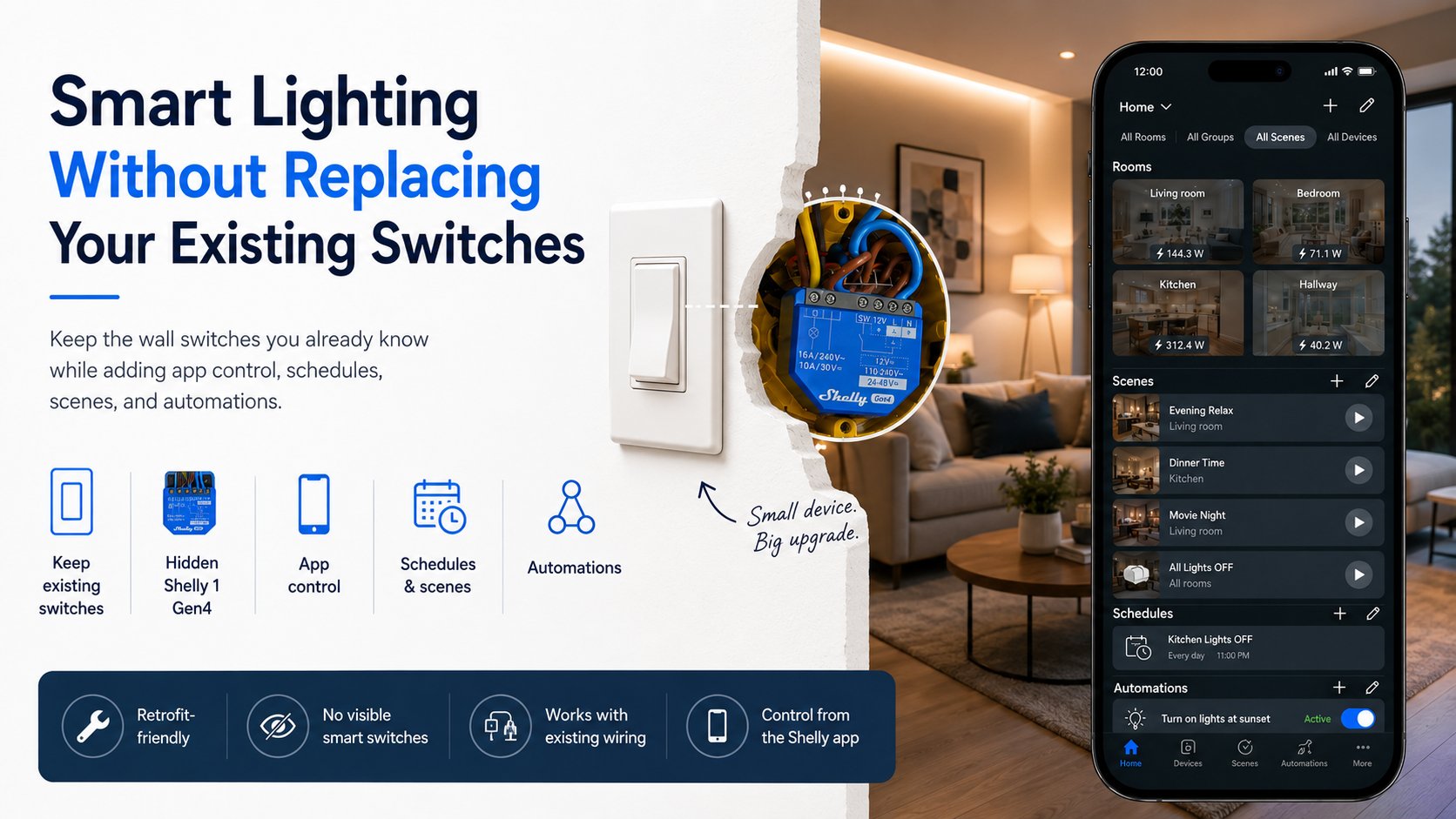
A single relay gives you one clear win. It solves one task, fits into a real space, and lets you see whether smart home automation actually improves your routine. Shelly relays are a good example because they are designed for retrofit use in existing installations, so you can add control without replacing the whole setup Shelly 1 - Smart relay switch. That low-risk first step is often what makes the rest of the journey feel possible.
Why a Shelly relay is such a natural first step
A relay is useful because it does not ask you to rethink the whole house. It takes an existing circuit or device and gives you smarter control over it. A Shelly relay can automate lights, appliances, and even garage doors, which makes it a flexible first project for many households Shelly 1 - Smart relay switch. If you are starting with a garage door, a relay with dry contact support such as Shelly 1 is common example for that kind of retrofit control.
The appeal is not just convenience. It is confidence. Once you see a relay reliably turn something on or off, you begin to understand how a smart home can grow in small, manageable steps. That matters more than buying a big stack of devices and hoping it all comes together.
Add sensors and schedules after the first win
Once that first relay is doing its job, the next most useful upgrade is usually not another relay. It is context. Sensors and schedules help your home understand when something should happen, not just whether it can happen. That is how a single manual control starts becoming a more capable system.
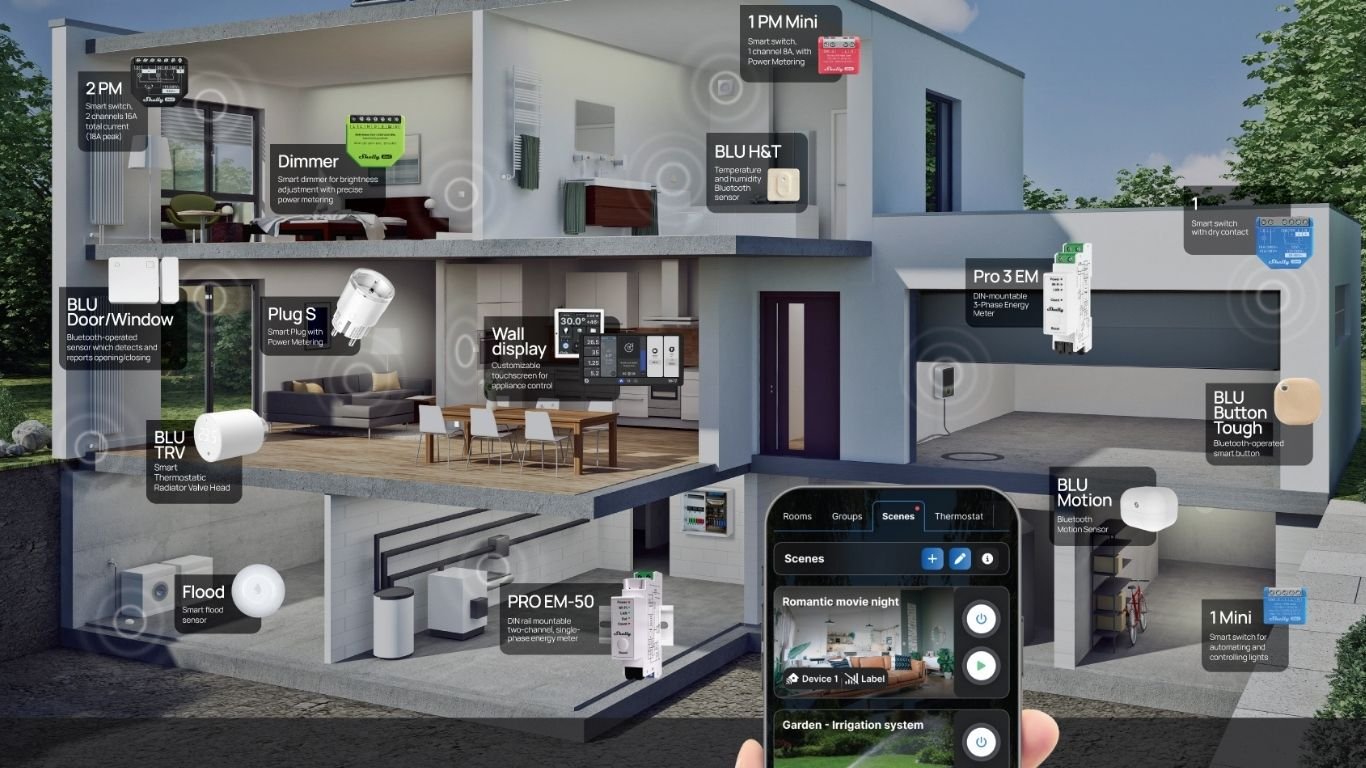
For example, a motion sensor can make a hallway light feel automatic instead of merely remote-controlled. A door/window sensor can help trigger actions when an entry opens or closes Shelly Door/Window. A temperature sensor might help decide when a fan should run. A leak sensor can alert you to a problem before it becomes a bigger mess. And a simple schedule can make sure outside lights, heaters, or pumps follow your routine rather than your memory.
This is where many beginners realize the real value of a smart home: not endless gadgets, but fewer small chores. Shelly devices are often used in ways that support that kind of gradual expansion, with relays for control and sensors for context. The result is a system that becomes more helpful each time you add one practical piece.
How Home Assistant turns separate devices into one system
At some point, many DIY smart home users want a place where everything can be seen together. That is where Home Assistant becomes especially useful. It supports Shelly devices for local control and automation, so your relay, sensors, and other devices can be brought into one place instead of living in separate apps.
Home Assistant also gives you a practical way to build automations from triggers, conditions, and actions. That sounds technical, but the idea is simple. A trigger starts the rule, a condition checks whether it makes sense, and an action tells the device what to do. For a beginner, that can mean something like: when the front door opens after sunset, turn on the entry light. For someone with more experience, it can become a much richer routine across multiple rooms and devices.
“The value of a home automation platform is not just control, but coordination.”
Energy monitoring adds a new kind of visibility
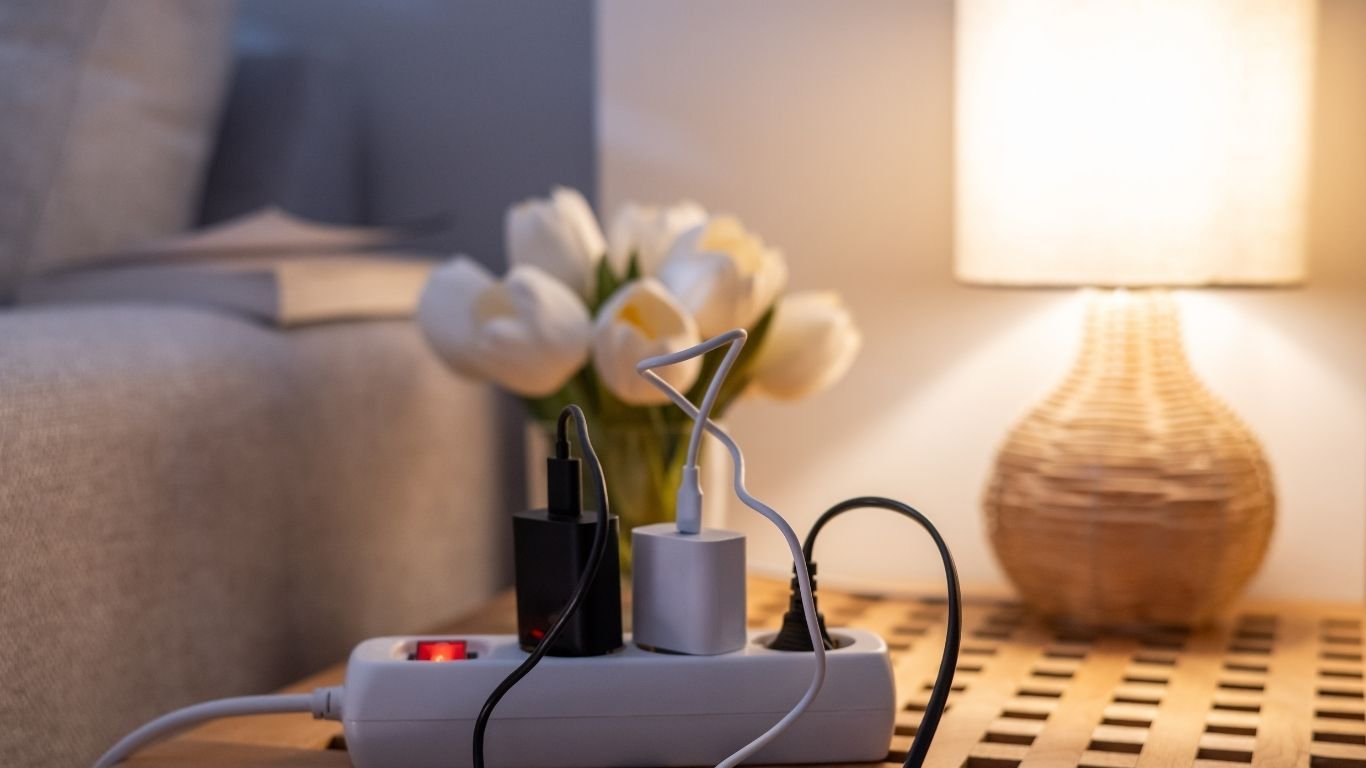
After control and coordination, the next useful layer is insight. Energy monitoring shows how devices behave over time, which helps you make better decisions instead of guessing. Some Shelly devices include power measurement or power metering, such as Shelly 2PM, which can track energy use while controlling compatible loads Shelly 2PM - Smart relay switch with power measurement. For plug-in appliances, a smart plug with metering such as Shelly Plus Plug S offers a simpler way to start seeing consumption data Shelly Plug S - Smart plug with power metering.
That information can be surprisingly useful. You may notice that a device draws more power than expected, runs at odd times, or behaves differently than you assumed. In Home Assistant, the Energy dashboard can help present electricity, gas, and water usage in a single view, which makes trends easier to understand.
Why local automations matter
As a smart home grows, many users begin to care less about novelty and more about reliability. That is one reason local automations matter. If a rule runs locally, it does not have to depend entirely on a cloud service being available, which can improve resilience and responsiveness. Home Assistant has also continued to emphasize local-first capabilities and automation improvements in its platform updates.
For everyday use, this feels better in small but meaningful ways. Lights respond faster. Routines keep working during internet issues. Sensitive automations, like a leak alert or entry-light rule, can stay useful even when the wider network is having a bad day. That kind of dependability is often what turns a smart home from a fun experiment into something people trust.
A realistic expansion roadmap
- Start with one useful task. Choose a light, garage door, fan, or appliance that you already wish were easier to control.
- Add one Shelly relay. Use a retrofit-friendly relay like Shelly 1 or Shelly Plus 1 for a simple, high-value first project Shelly 1 - Smart relay switch
- Layer in sensors and schedules. Add door/window sensors, motion sensors, or time-based routines where they solve a real annoyance Shelly Door/Window.
- Bring everything into Home Assistant. Use it to centralize control and build automations from triggers, conditions, and actions.
- Add energy insight where it helps. Metering devices can reveal how a load behaves over time, and the Energy dashboard can help you view the data clearly Shelly 2PM - Smart relay switch with power measurement
- Shift more rules to local execution. Favor automations that still work well if cloud services are slow or unavailable.
Shelly product types that fit each stage
It helps to think in categories rather than shopping lists. A relay is the starting point when you want to control an existing circuit. A dry-contact relay is useful for certain low-voltage or contact-based control scenarios such as garage doors. A sensor is the next layer when you want the home to react to conditions. A power-monitoring device is useful when understanding usage matters as much as switching. And a plug-in meter can be an easy way to bring one appliance into the system without opening a wall box.
That is why Shelly relay smart home setups often grow in stages. You may begin with a wall light, move to a garage door or outdoor circuit, then add Shelly sensors and schedules, and eventually create a broader Home Assistant with Shelly setup that ties everything together. The path is flexible, but the logic is consistent: solve one real problem, then add the next most useful layer.
Common mistakes when expanding too quickly
The biggest mistake is buying for the dream version of the system instead of the version you will actually use this month. It is easy to accumulate devices before you have a clear routine for them. Start with a single use case and let that success guide the next purchase.
Other common missteps include skipping compatibility checks, assuming every device supports every feature, and overlooking practical limits like wiring space or network quality. A thoughtful DIY smart home expansion should respect the hardware already in the home. It should also leave room to learn. That is the advantage of building gradually: each step teaches you what the next step should be.
The smart home path that starts small
If you are wondering whether how one smart relay can become the start of a smarter home is really a practical strategy, the answer is yes. One relay can solve one real problem today. Then sensors add context, schedules add convenience, Home Assistant adds coordination, energy monitoring adds insight, and local automations add reliability. Each layer makes sense because the previous one already proved its value.
That is the simplest way to think about a smarter home: not as a finished project, but as a chain of helpful upgrades. Start with one win. Learn what you like. Then expand only where the next step clearly earns its place.

Comments 0