
Why Monitoring Comes First When You Want to Reduce Energy Consumption
If you want to reduce energy consumption, the first step is not guessing where power is being wasted. It is seeing where electricity is actually going. A smart home can help turn invisible usage into clear patterns, so you can make better decisions about what to run, when to run it, and what to leave off. The goal is not to promise a fixed lower bill; it is to give you the visibility and control to spot waste and respond to it.
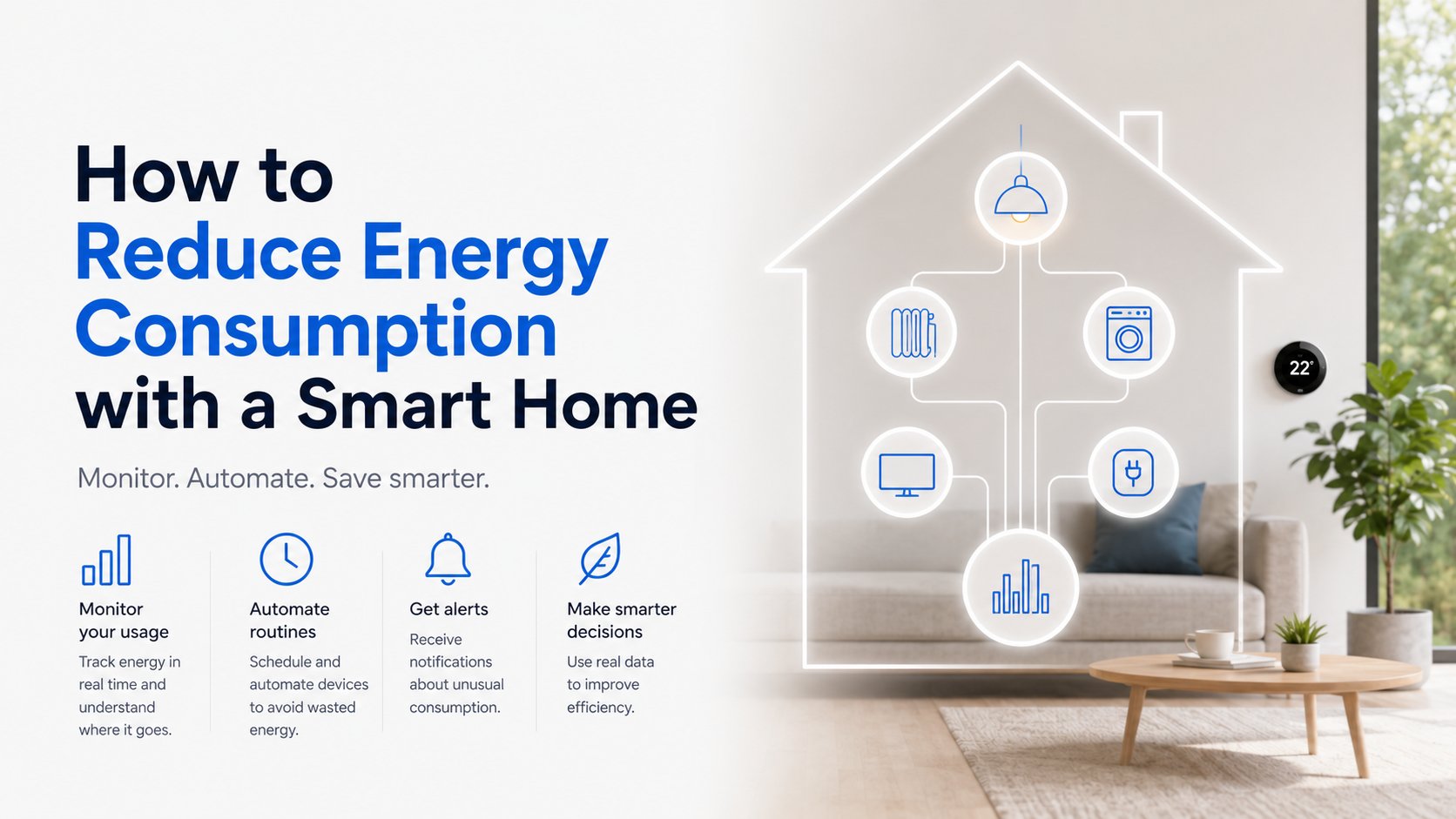
That matters because many of the biggest household energy users are not obvious. Heating and cooling are among the largest energy uses in many homes, and water heating is also a major load according to the U.S. Department of Energy. Add standby power, electronics, and heavy-use appliances, and it becomes easy to miss where the real opportunities are. Smart home monitoring makes those patterns visible before you start changing habits or automations.
What Uses the Most Electricity in a Typical Home?
Before you can reduce electricity bill waste, it helps to know which loads usually matter most. In many homes, the biggest categories include heating and cooling, water heating, refrigerators and freezers, laundry, cooking, entertainment devices, and electronics that keep drawing power in standby mode. If you also charge an EV at home, that can become a significant load too.
- Heating and cooling: Often the largest energy users in many homes.
- Water heating: Frequently a major source of household electricity use.
- Kitchen and laundry appliances: Ovens, dishwashers, washers, and dryers can create noticeable spikes.
- Electronics and entertainment: TVs, game consoles, routers, and streaming devices may use power even when idle.
- Standby loads: Devices can still consume electricity when switched off or left in standby.
- EV charging and specialty equipment: Often worth monitoring separately because usage can be concentrated.
The U.S. Department of Energy’s guidance on estimating appliance and home electronic energy use is useful because it shifts the conversation from assumptions to measurement. Instead of asking, "What do I think is expensive?" you can ask, "What is actually consuming the most energy in my home?"
Use Whole-Home Monitoring to See the Big Picture
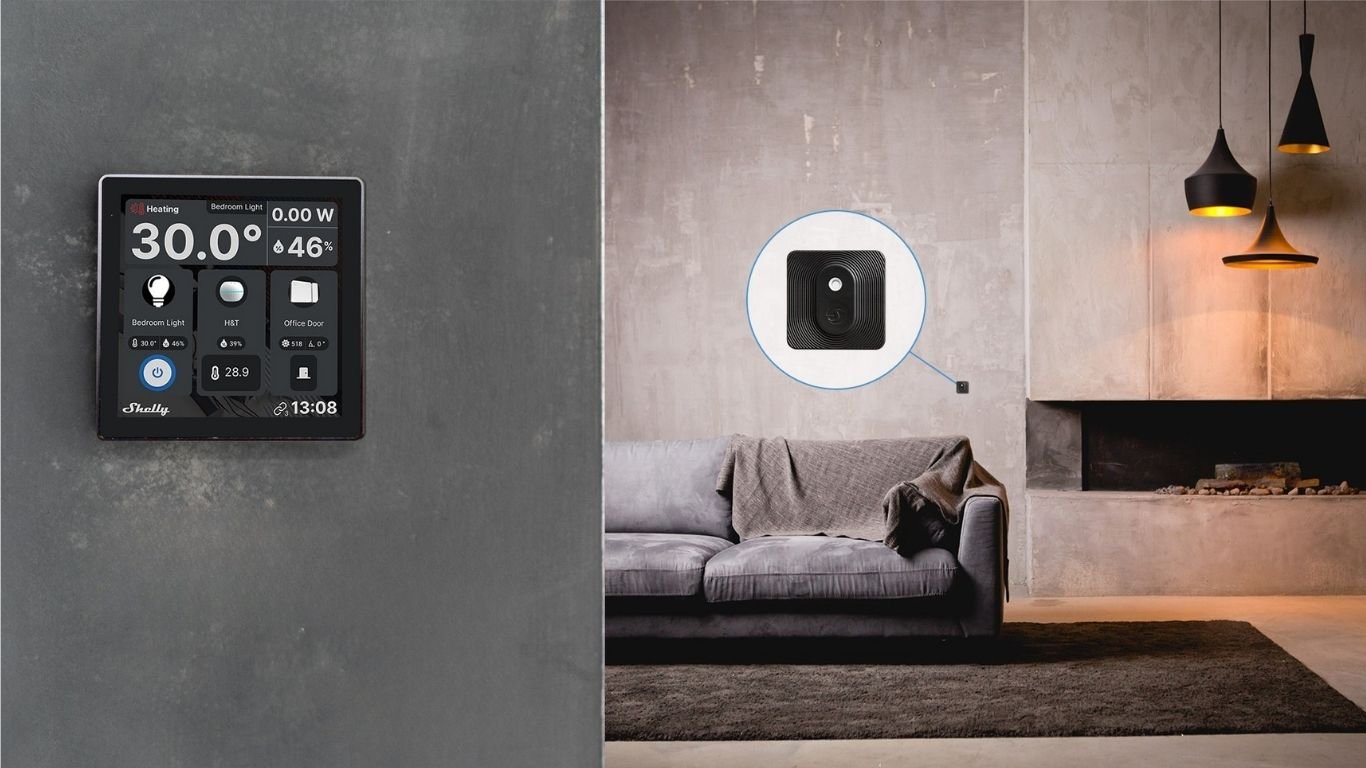
Whole-home home energy monitoring is the simplest way to start. An electricity usage monitor at the main panel or service point can show total household consumption over time, helping you identify daily routines, peak periods, and unusual spikes. That high-level view is especially helpful when you want to understand whether usage is rising overnight, climbing during work hours, or staying elevated when nobody is home.
This kind of monitoring is useful because it shows patterns, not just totals. You may notice that the home uses far more energy on very hot or very cold days, that evening peaks line up with cooking and laundry, or that a device is quietly drawing power every day. Smart home technologies can support this kind of energy management through monitoring and automation as the Department of Energy explains.
Monitoring helps you stop treating electricity use like a mystery and start treating it like a set of patterns you can manage.
For homeowners who want a broader reference point, the ENERGY STAR Home Energy Yardstick lets you compare your home’s usage with similar homes and track improvement over time. That kind of comparison is valuable because it helps you judge progress without relying on memory or rough estimates.
Track Individual Circuits for Deeper Insight
Whole-home data shows the big picture, but circuit-level monitoring helps you find the sources behind it. This is where you can focus on specific high-use systems such as a heat pump, electric water heater, pool equipment, workshop loads, or an EV charger. Instead of seeing one combined number, you get a clearer view of how different parts of the home behave.
That extra detail is valuable when you are trying to reduce energy consumption without making major electrical changes. For example, if one circuit shows a consistent daily spike, you can investigate whether it matches a schedule, a seasonal change, or a device that runs longer than expected. If another circuit stays active when it should be idle, you may have found a good candidate for automation or scheduling.
Products such as Shelly Pro 3EM are designed for energy monitoring and can support multi-channel or three-phase tracking, while Shelly EM Gen4 supports monitoring up to two individual circuits. The main idea is not the product itself; it is the usefulness of seeing where specific loads are concentrated so you can make better decisions.
Monitor Appliances to Catch Standby Power and Wasteful Runtime
Appliance-level monitoring is one of the easiest ways to spot waste in everyday life. Smart plugs and smart relays can measure how much electricity a device uses, then help you automate when it turns on or off. That is useful for things like a coffee maker, entertainment center, dehumidifier, portable heater, aquarium equipment, or a fan that should not run all day.
This is especially helpful for standby power. The Department of Energy notes that devices can keep using electricity even when they are not actively in use through standby power and energy vampires. Smart plugs can make that hidden use visible and give you a simple way to shut down devices when they are not needed.
A smart plug with monitoring and scheduling, such as Shelly Plug S Gen3, can be useful for appliance-level control. For connected circuits or fixed loads, a smart relay like Shelly 1PM Gen4 adds power monitoring and remote control for compatible loads. Again, the value is not the device name; it is the ability to measure and automate without a major electrical overhaul.
Use Smart Home Automation to Reduce Unnecessary Energy Use
Monitoring tells you what is happening. Automation helps you respond consistently. That difference matters. Monitoring versus automation is not an either-or choice: monitoring gives you the information, while automation puts that information to work by reducing unnecessary runtime and avoiding forgetful habits.
- Schedules: Turn off non-essential devices at night or during work hours.
- Away scenes: Reduce usage when the house is empty by shutting down selected loads.
- Night scenes: Dim or switch off lights and stop devices that do not need overnight power.
- Usage alerts: Get notified when a load runs longer than expected or spikes unexpectedly.
- Seasonal adjustments: Change automations for summer cooling or winter heating habits.
These are practical uses of smart home automation that do not require major electrical changes. A plug can stop a screen setup from idling all day. A relay can help manage a fan or pump on a schedule. A whole-home dashboard can alert you that energy use is higher than normal, prompting you to check whether a heater, water heater, or other load is running longer than expected.
The best energy-saving automations are usually simple. They do not try to change everything at once. Instead, they target a few repeatable habits: turning off standby loads, shortening runtime, and avoiding unnecessary use when nobody benefits from it. That makes them easier to maintain and easier to understand.
Measure, Improve, and Compare Over Time
Once you start monitoring and automating, the next step is comparison. Look at daily, weekly, and monthly trends so you can see whether changes are actually helping. A good energy dashboard should make it easier to compare usage before and after a new schedule, a new smart plug rule, or a change in family routine.
The ENERGY STAR Home Energy Yardstick is helpful here because it encourages you to compare your home’s energy use against similar homes and track progress over time. That comparison helps you focus on trends instead of isolated days, which is a much better way to judge whether you are making smarter energy decisions.
If your electricity use is still high after a change, the data tells you where to look next. Maybe a comfort setting is running too aggressively. Maybe a timer needs to be adjusted. Or maybe the real issue is not a single appliance, but a seasonal load like cooling or water heating that deserves closer attention. The point is to keep refining, not to expect one setting to solve everything.
The Smart Way to Reduce Energy Consumption Is to See, Then Act
If you want to reduce energy consumption in a practical way, start with visibility. Whole-home monitoring shows the big picture, circuit-level monitoring identifies the largest contributors, and appliance-level tools reveal standby power and unnecessary runtime. From there, automation helps you respond with schedules, alerts, and simple shutoff rules that fit everyday life.
That is the real advantage of a smart home for energy use: not a promise of instant savings, but a clearer understanding of where electricity is going and more control over what happens next. If you measure well, compare over time, and automate the most repetitive waste, you give yourself a much better chance of using energy more efficiently.
FAQ: Common Questions About Reducing Energy Consumption
Why should homeowners monitor energy use before trying to save electricity?
Because you cannot reliably reduce energy waste you cannot see. Monitoring shows which loads are actually using power, when they run, and whether changes are helping. Without that data, you are mostly guessing.
What appliances and systems use the most electricity in a typical home?
Heating and cooling, water heating, laundry appliances, refrigerators and freezers, cooking equipment, and electronics are common high-usage categories. Standby power from devices that stay partially on can also add up over time according to the Department of Energy.
How does whole-home energy monitoring help reduce waste?
Whole-home monitoring helps you see overall usage trends, peak times, and unusual spikes. That makes it easier to connect electricity use to daily routines, identify when the house is drawing power unnecessarily, and decide which areas deserve deeper investigation.
What is the benefit of circuit-level monitoring compared with whole-home monitoring?
Circuit-level monitoring provides more detail. It helps you isolate specific systems, such as a water heater, EV charger, pool pump, or heat pump, instead of only seeing one total number for the entire home. That extra detail is useful when you want to find the source of a spike or compare the behavior of different loads.
How can smart plugs and smart relays help reduce standby power and unnecessary runtime?
They let you measure and control appliance-level loads. A smart plug can turn off electronics or small appliances when they are not needed, which helps reduce standby power. A smart relay can do the same for compatible fixed loads, making it easier to schedule runtime or shut things off remotely.
What kinds of automations are most useful for energy saving?
The most useful automations are usually simple: schedules, away modes, night scenes, alerts for unusual usage, and rules that shut off non-essential devices after a set time. These are practical because they reduce waste without making the home harder to use.
How do monitoring and automation work together to improve home energy efficiency?
Monitoring tells you what is happening, and automation helps you act on that information consistently. Together, they create a feedback loop: measure usage, adjust behavior, automate repeatable tasks, and compare the result over time to see what changed.
Comments 0